
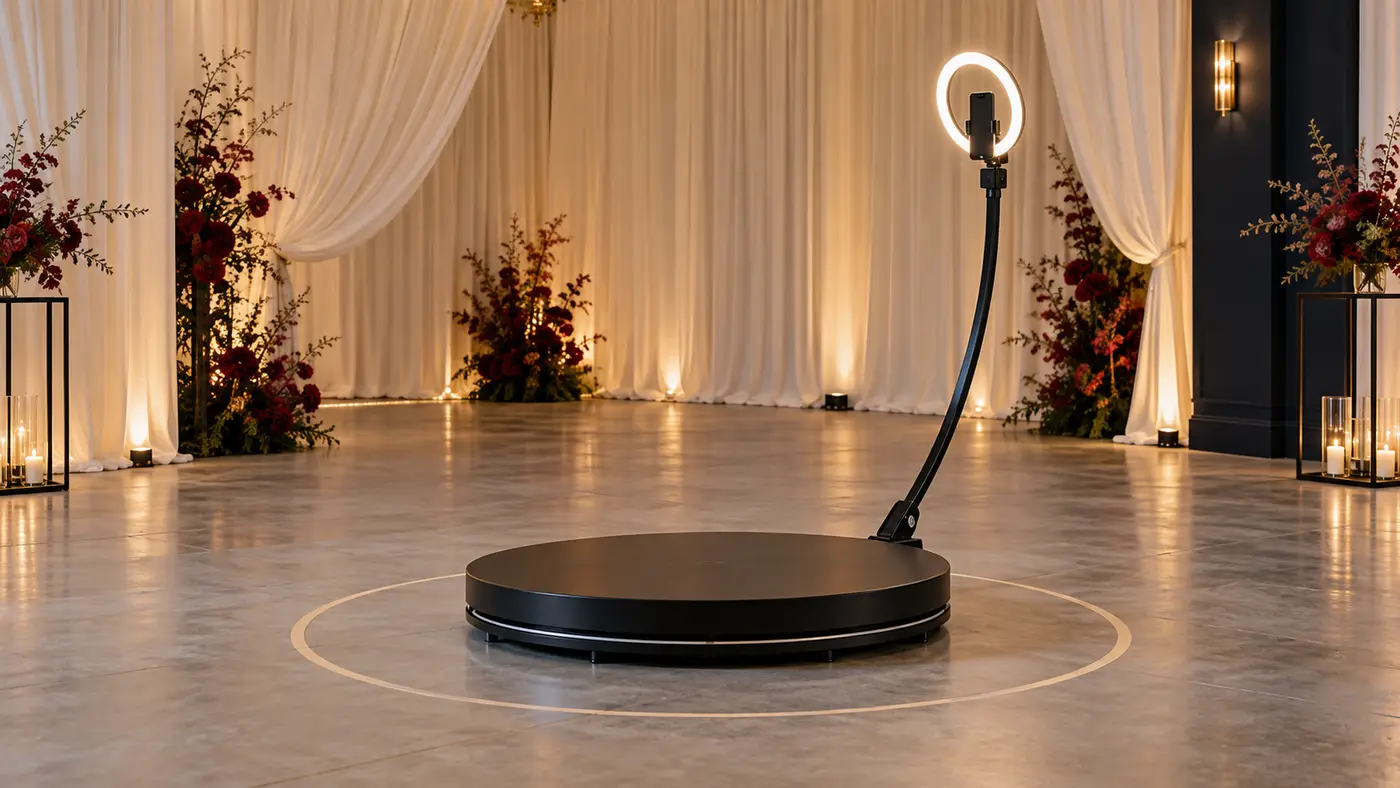
A 360 photo booth can turn a few seconds of posing into a clip guests want to keep. The fun part needs a few basics. Leave enough floor space. Fix the camera in place, light faces well, and watch the moving arm.
I would choose the booth around those details first. A low price is less appealing when the phone, software, lights, and case all cost extra. These five choices cover different budgets and ways to run an event.
The shortlist
| 360 photo booth | Main reason to consider it |
|---|---|
| OrcaVue Air-34 Pro Bundle | Detailed controls and a well-defined package |
| Photo Booth Supply Co Tortilla | An integrated workflow for iPhone users |
| RevoSpin RM-5 | A manual-spin alternative |
| GO360BOOTH X5 | A motorized platform with a flight case |
| ATA Motorized 360 Platform | A choice of platform sizes and power options |
1. OrcaVue Air-34: my pick for regular events
The Air-34 Pro Bundle pairs a 34-inch platform with a motorized arm. OrcaVue lists a stop feature that halts the arm if it hits a block. You can also send the arm back to the start. Those are features I would ask to see in a live demo.
The suggested footprint is 10 by 10 feet. The platform weighs 64 pounds, so the included dolly is useful. The listed capacity is two to three people, with a 1,200-pound weight limit. Follow both limits; a high load rating does not create more standing room.
The Pro Bundle includes a ring light kit, battery system, mounts, and a short software subscription. You still need a phone or camera. Plan for software costs once the included period ends.
Why I favor it: clear operating details and useful controls. The trade-off: a large kit to store, move, and staff.
2. Photo Booth Supply Co Tortilla: for a joined-up workflow
The Tortilla has a 32-inch platform and is built around Photo Booth Supply Co's software workflow. I would choose it for one clear reason. One supplier sets out how the gear and software work together.
The company calls for at least 13 by 13 feet of workspace. That is far wider than the platform. It is the figure I would take to the venue. The booth has a stated 800-pound load limit. The maker suggests up to three guests.
Check the package closely. The full supported capture workflow uses an iPhone, and the booth needs mains power. Lighting and a capture device are not included in the basic purchase. The unit is about 56 pounds before its case.
Why I would choose it: a defined hardware and software path. The trade-off: device, power, and floor-space requirements may rule it out.
3. RevoSpin RM-5: when manual spin suits the job
The RevoSpin RM-5 offers a 35-inch round platform with a manually moved arm. That is a real difference from the automatic systems here, not just another bundle name.
A manual 360 photo booth gives you direct control of the spin. You need someone to run each session. The way you move the arm affects the shot. Aim for a steady sweep each time.
RevoSpin sells more than one RM-5 package. A business bundle and a basic booth can contain very different extras. Compare the exact cart contents. Include the travel case and software when you judge the price.
Why I would choose it: a manual alternative with a clear role for the attendant. The trade-off: each clip depends more on the operator's timing and handling.
4. GO360BOOTH X5: a case-included motorized option
The GO360BOOTH X5 is a 39-inch motorized platform sold with a flight case. It offers app and remote control. That lets an attendant start a session clear of the arm's path.
I would look at it when the budget needs to cover both the platform and transport. Then I would list the missing parts. The product page notes that the capture device, software, ring-light power bank, and remote batteries need separate attention.
A larger platform still needs clear space all around it. Ask how much space this model needs. Check the guest limit and how to stop the arm. Get those details before promising a venue that the booth will fit.
Why I would choose it: motorized control and an included case. The trade-off: the full working setup needs more than the platform price.
5. ATA Motorized 360 Platform: compare size and power
The ATA Motorized 360 Platform is offered in different platform sizes. Its listing includes remote control, a return-home function, and mains power with an optional battery route.
Choose the size first. Then ask for its packed weight and case size. Figures for a 32-inch unit should not be used to plan transport for a 39-inch unit.
The lit rim may suit a party room. Firm footing and clear controls matter more to me. Ask what happens when the arm is blocked. How do you stop it fast? Which parts can you replace?
Why I would choose it: size and power choices. The trade-off: several sizes share a listing. Check the details of the exact booth you order.
Should you buy or rent a 360 photo booth?
For one event, I would start with a rental quote that includes an attendant. Ask whether setup, travel, lighting, sharing, and pack-down are included. A cheap headline rate can grow once those parts are added.
Buying makes more sense for repeat use. You need storage, transport, and time to learn the workflow. Even then, I would ask for a demo and a full sample clip. A short social post can hide shaky starts, poor light, or slow sharing.
Owner reports vary. In a discussion of lower-cost 360 booths, one owner reported good use from an imported unit. That is one useful report. It cannot prove that each booth is safe or well built. Support can vary, too. I would judge the specific supplier and model.
Work out the whole cost
Write down the price of the 360 photo booth, capture device, lights, software, case, and spare parts. Then add transport and the time needed to set up, run, and pack the booth.
If you plan to rent it out, do not treat each booking fee as profit. Travel, staff time, software fees, repairs, and insurance all affect what is left. I would keep the sales forecast low. Set cash aside for a missed event or broken part.
Support has value, too. Ask when someone can take your call. Where do repairs take place? Are spare parts in stock nearby? A long warranty is less useful if the booth sits idle for weeks.
Leave more space than the platform suggests
The platform is only the center of a 360 photo booth. The arm sweeps a much wider circle. Lights, a sharing station, the attendant, and waiting guests need space beyond that.
Use the maker's full footprint, then add a queue that does not block doors or walkways. For Tortilla, the assembly instructions are a useful starting point for the floor plan. Check the route from the vehicle to the room as well. Stairs and narrow lifts can change the whole job.
Keep the platform level and dry. Do not exceed either the guest count or weight limit. Ask guests to keep loose props, bags, and long clothing clear of the arm. Stop the arm fully before anyone steps on or off.
An overhead 360 booth can remove the raised platform, which may help some guests. It still needs a safe support structure and clearance for the moving camera. An overhead model has no floor platform. It may still need a large space.
The camera and light make the clip
A 360 photo booth usually moves a camera around guests. That does not mean viewers can look around in any direction. Most guests receive a normal video clip with a sweeping view.
For slow motion, the camera must capture enough frames. Take a clip shot at 120 frames per second. On a 30-frame timeline, it can play four times slower. Check that the device and app support this. You also need enough light and the right export settings.
Dim light can make slow-motion footage noisy. I would choose soft, even light. A bright ring can leave faces harsh and the room dark. Test the whole circle, since the background changes as the camera moves.
Check the camera mount and payload limit. A phone holder is not a safe substitute for a proper mount for a heavier camera. Secure the device before each session and keep charging leads out of the moving parts.
Software and sharing need a rehearsal
Decide how guests will get their clips. A QR code can be quick. Email or text sharing may need a live link. They can also collect personal details. Check what still works if venue Wi-Fi fails.
For a corporate event, branded overlays can add a date or logo. Keep them away from faces. A green-screen effect needs suitable light and a clean background. It cannot fix a cluttered room.
Tell guests how their clips and contact details will be used. Sharing a clip with its subject is different from posting it on a brand's public account. Set that expectation before recording.
Make the photo booth experience fit the occasion
A portable photo booth should fit the event's theme without taking over the room. At birthday parties, a simple background and a few easy poses can entertain guests. At weddings, I would keep the style close to the flowers and colors already in the room.
For corporate events and trade shows, the 360 photo booth can be part of a brand's welcome. Add a logo to the videos, but keep faces clear. Let attendees see a sample before they step in. An interactive photo booth works better when people know what will happen.
Customization options can change the clips without more props. You might customize the opening frame, music, or closing message. Check music rights before sharing videos on social media platforms. A song that plays fine in the room may be blocked online.
I would keep both the original videos and the branded exports if the software allows it. That gives you a clean copy if the logo or date needs to change. Ask how long the service stores videos and how guests can get them later.
Photos or videos?
A 360 photo booth is usually built to capture videos. Do guests expect printed photos? Ask if the package has a way to take and print them. A still frame pulled from a moving clip may not match a dedicated photo.
A DSLR camera can make good images. It adds weight and more steps to learn. Check the mount, software support, and total payload first. A phone can be a great choice when it creates the videos you want with less gear.
Ask for sample photos as well as videos if the seller promises both. Look at faces, hands, and the edge of the frame. Look for smooth camera movement and good light. A long list of technology claims tells you less.
Give guests a clear start and finish
Use a small sign to show guests where to wait. Tell them when to step onto the 360 photo booth. The attendant should talk guests through one pose, clear the rotating arm, then press start. Do not let anyone walk through the arm's path while it moves.
For kids, follow the maker's age and supervision rules. Do not assume a booth that fits an adult is right for every child. Offer another way to join in if someone cannot safely stand on the platform.
The best experience gives guests time to enjoy the moment without a long queue. Keep sessions short enough to share the fun. A 360 photo booth adds to the fun. Leave time for the rest of the party.
Before you book your next event
Explore the local rental market before buying a portable photo booth. Compare services with the same hours, staffing, and delivery needs. A business that handles setup and sharing may cost more than a bare equipment rental, for good reason.
If a 360 photo booth is advertised for sale, ask what is included in that sale. Request the manual, packed size, and a current sample video. I want the supplier to be clear about limits. No booth suits every event.
For concerts and crowded parties, ask the venue where the queue can go. For corporate events, agree how the brand may use guest videos. Plan for the busy moments. Keep things calm, and guests can leave with a clip worth sharing.
Fit the booth into the party
Put the 360 photo booth where guests can see it. Leave a clear route from the dance floor. Give the attendant a clear view and keep the queue away from food service.
If you need to call small groups over, a wireless microphone can help the host speak clearly. Keep any portable PA speaker outside the camera path and leave enough room for its stand.
For a wedding, run a short session with the couple before the main queue builds. For a birthday, offer simple poses and keep the pace relaxed. Keep it fun and easy. Guests should not feel as if they must pass a test.
Common questions
How long does setup take?
There is no single honest time for every package. The platform may assemble quickly, while lighting, software, camera checks, and the queue take longer. Rehearse the full setup and allow extra time at an unfamiliar venue.
Can I use a 360 photo booth outdoors?
Only when the maker permits it and the site suits the equipment. Check wind, rain, ground level, power, and shade. A canopy alone does not make electrical gear weatherproof.
Which one would I choose?
For regular use, I would begin with the OrcaVue Air-34 Pro Bundle and ask for a demo of its controls. For one event, I would compare attended rentals. Choose the booth that fits the venue and guests. It should also fit the time you can give it.