
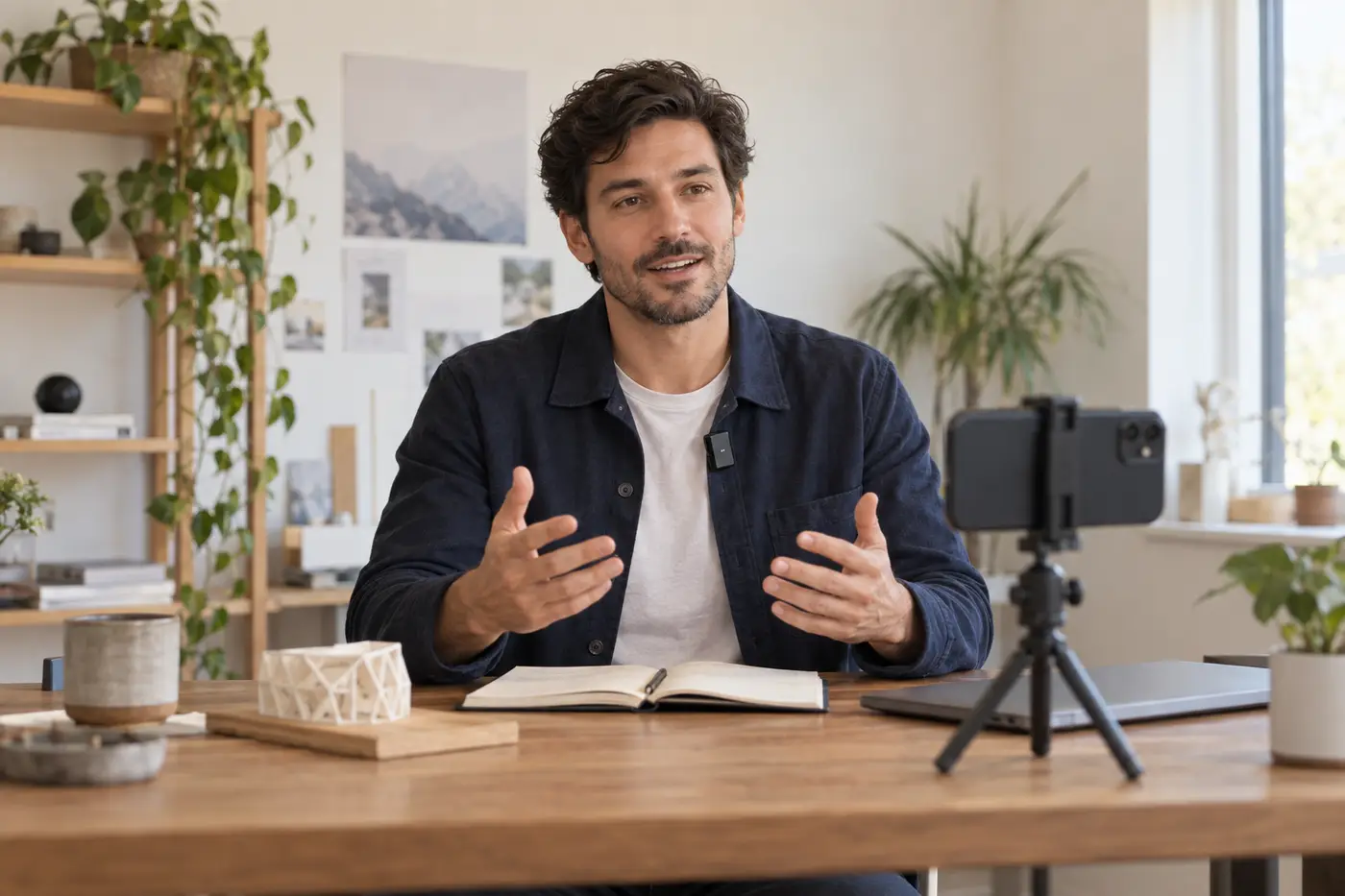
A founder's useful update can be a rough demo, a lesson from a launch, or an honest answer to a customer's question. It does not need a studio. It does need a voice people can hear when the phone sits a few feet away.
A wireless lapel microphone keeps the mic close while your hands stay free. That helps when you point at a product, walk through a workspace, or film interviews. I would choose a kit that makes those small tasks easy enough to repeat each week.
These three small kits suit phone shoots. Look at how they clip on, what they plug into, and what comes in the box. A wireless microphone for a stage or a PA solves a different problem.
The best wireless lapel microphones at a glance
| Microphone kit | Best fit and main tradeoff |
|---|---|
| RØDE Wireless Micro About $99 for the USB-C phone kit | Fast phone updates and interviews. Match the receiver to your phone port. |
| Hollyland LARK M2S $99 USB-C Duo; $124 Combo | A small, discreet mic on clothing. The phone-only kit does not include the camera receiver. |
| DJI Mic Mini $99 for two transmitters, receiver and case | Switching between phone and camera. DJI's US store lists this kit as out of stock. |
1. RØDE Wireless Micro: my first choice for quick phone videos
The RØDE Wireless Micro phone kit keeps the setup short. Plug the receiver into your phone, clip on a transmitter, and record. Both mics come paired. GainAssist sets the sound level for you. That is one less task when you work alone.
I would choose this wireless lavalier microphone for regular updates, quick demos, and two-person interviews. Keep the small kit in your work bag. You can use it when a guest has ten minutes to talk.
Bando used the native iPhone Camera app to film. That keeps the steps close to what many of us know. For that setup, plug in the receiver. RØDE's Direct Connect feature sends audio over Bluetooth only within RØDE Capture on iOS. It does not feed the native Camera app or other apps.
The USB-C kit suits compatible USB-C iPhones and Android phones. Older Lightning iPhones need the matching version. A thick phone case can block the plug. Check the fit before you leave home.
RØDE lists up to 21 hours of total battery use with case recharges. That does not mean one 21-hour take. Use the furry windshields outdoors. Gain control cannot stop wind from hitting the mic.
Why I would buy it: quick setup, two microphones, and few controls to manage. What I would check: the phone connector and support in the exact recording app.
2. Hollyland LARK M2S: for a discreet clip on camera
The Hollyland LARK M2S suits founders who want less gear showing on their shirt. Its transmitter weighs 7 grams. It has a tiny mic head and a titanium clip. The visible face has no logo. That can suit customer interviews, teaching clips, and formal presentations.
I would consider these lapel mics when a larger square mic would distract from a small product held near your chest. The small size suits thin shirts, too. Check the clip on the shirt you plan to wear.
Hollyland's US store lists the USB-C Duo at $99 and the Combo at $124. The Duo gives phone users a USB-C receiver. The Combo adds a camera receiver and a USB-C-to-Lightning cable. Spend the extra money only if those connections solve a real need.
Hollyland lists up to nine hours of working time and up to 30 hours with the Combo's case, with noise cancellation off for the runtime claim. You can also plug a charge cable into the mobile receiver to power the phone.
This wireless lavalier system needs its receiver. It does not pair through the phone's Bluetooth menu. I would use the receiver, check the app's input, and make a short recording before each interview.
Why I would buy it: a discreet, lightweight clip and a useful choice of bundles. What I would check: which receiver and cables the listed price includes.
3. DJI Mic Mini: for founders using both phones and cameras
The DJI Mic Mini is worth a look if your kit moves between a phone and a camera. The original two-transmitter bundle includes a receiver, USB-C phone adapter, camera audio cable, and case. Those parts give it useful versatility for demos and interviews.
DJI's US price is $99 for that bundle, or $118 with its Lightning phone adapter. Both were listed as out of stock on September 25, 2026. Check local dealer stock and the exact bundle before you plan a shoot around it.
Each small mic weighs about 10 grams and mounts by clip or magnet. I like that choice for thick or thin shirts. The limiter turns down the input when sound gets too loud. Two levels of noise control can help in a loud room.
The original Mic Mini has no built-in storage. It cannot save a backup on the mic if the wireless link drops. If you cannot repeat an interview, think about that risk before you buy.
Direct Bluetooth also needs the right app. DJI says its phone Bluetooth mode does not support the native camera app. Use the receiver for that workflow. A paired Bluetooth device does not prove the app used its sound.
Why I would buy it: one portable kit for phones and cameras. What I would check: stock, the right phone adapter, and whether I need internal recording.
Bluetooth or a receiver: which connection should you use?
Wireless lavalier microphones commonly send sound from a wearable transmitter to a small receiver. The receiver plugs into the recording device. You can still move hands-free. One part stays in the phone's port.
Bluetooth is a different connection option. It can remove that plug-in part. The phone and app must accept the mic's sound. A Bluetooth logo alone does not settle that question.
For an iPhone with the native Camera app, I would start with the right receiver. For Android, check both the phone model and recording app. USB-C is the plug shape. Apps can still treat the same mic in different ways.
Live streaming needs its own test. One good saved clip does not prove a streaming app uses that input. Make a private test stream and listen from a second device with headphones. Check both speakers if you are hosting an interview. The native Camera app records video; use your chosen streaming app for a live broadcast.
How to choose a wireless lavalier microphone for your routine
Sound quality starts with mic placement
Lavalier microphones work best when you give them a clear path to your voice. Clip the mic high on your chest, clear of a collar edge, necklace, or loose hair. Turn your head and move your arms during the sound check.
Clothing rubbing a capsule can spoil clear audio even in a quiet room. Give the mic room to work. Do not bury it under layers just to hide it.
These compact microphones capture sound from around the capsule. A close mic helps your voice stand out. It will still pick up other people. For better audio quality, move away from fans and hard, echoing walls before changing settings. Noise reduction is a tool, not a cure for a poor location.
Wireless performance matters more than the longest range
A range claim often needs an open path. Your body, walls, crowds, and other signals affect that range. These small systems share radio space with other gear. RF interference means other radio signals can break up the sound.
For a stable link, keep the receiver in view if you can. Test the route you plan to take. Walk away, turn around, and return while speaking. Listen for gaps. For a desk shoot, a stable short link matters more than a long range claim.
Battery life and the charging case
Compare one-charge runtime first. A case adds battery life by topping up the units between shoots. You still need enough charge for a long talk.
DJI lists up to 11.5 hours for a Mic Mini transmitter and 10.5 for its receiver under its test conditions. Real use varies. Before a day of interviews, charge both the transmitter and receiver. Put the lapel mics in their case between takes. Keep a charge cable in the bag.
Buy the complete kit, not the lowest price on the page
The price of one transmitter is not the price of a working wireless lavalier microphone system. Check the microphone count, receiver, phone adapter, windshields, and cables. Two speakers need two mics if both voices must stay close and clear.
A phone-only founder may not need a camera receiver. A founder filming product presentations on several devices may find the larger bundle worth its price. Set a budget for the whole setup, including a stable phone stand. Skip features that cost more but save no time.
A five-minute routine for hands-free video recording
- Connect first. Fit the receiver, wake the microphones, and check that they are paired.
- Clip and frame. Keep each mic clear of clothing that moves. Check your normal seated or standing position.
- Record both voices. Say a sentence at your usual level, then laugh or speak more loudly. Have your guest do the same.
- Play it back. Listen with headphones. Check for rustle, missing words, and a guest heard only on one side.
- Film one useful point. Show what changed, explain one decision, or answer one customer question. Keep the kit ready for the next update.
For interviews, two tracks can help you edit each voice. Check that your system and app support them. A combined track is simpler for fast posts. Check the saved file, not just the light on the microphone.
Questions about lavalier microphones
Are lapel microphones and lavalier mics the same thing?
Both names mean small mics that clip to clothing. Traditional lav mics may use a cable to a bodypack. The wireless lavalier microphones here put the mic and transmitter in one small unit. That saves loose cable, though it can make the mic more visible.
Can these lapel mics replace handheld mics at an event?
Choose the system for its output and job. Phone kits are built mainly for recording. To speak through a PA, you need the right output. You must also check for feedback. For stage presentations or a room full of guests, see our wireless microphones for speeches and live events. Handheld mics are also simpler to pass between audience members.
Which is the best lavalier microphone for a small budget?
For quick phone posts, I would start with the RØDE kit and compare its full price with the Hollyland USB-C bundle. The best lavalier microphone for your budget is one that fits your phone, stays secure, and records clear audio in the app you use. An hour spent learning the kit can be worth more than extra features.
Will a better microphone help me build an audience?
It can make your voice clear and save time when you record. The idea still has to be useful. Use your wireless lapel microphone to share specific lessons, show real progress, and make space for customers to speak. Clear sound helps those people stay in the conversation.